Microsoft · Worldwide sales
Dashboards Executives Actually Open
KPI dashboards and reports for a global sales organisation — one number per question, drill paths instead of filter bars, and a Monday report every region fills the same way.
A note on what you're seeing. I take my clients' confidentiality seriously. The artifacts on this page are re-creations and abstractions of the real work, and the numbers are illustrative of project outcomes rather than audited figures. Happy to walk you through the genuine article — just ask.
The situation
A dashboard is a conversation you're not in the room for. Design it like one.
Microsoft's worldwide sales organisation reported up through regions, and every region reported differently. The Monday executive review ran on decks — forty slides assembled by hand, numbers that didn't reconcile across regions, and the same three questions asked every week: are we covered, are we winning, are we slowing down. The answers existed. They were just buried under everything else that had been added to the report because someone once asked.
The ask was KPI dashboards and reports for the executive audience. The real brief was to find the questions behind the KPIs and build screens that answered exactly those.
My role
I was the UX designer for the executive reporting effort in sales operations — interviewing sales leaders, defining the question-first hierarchy every screen follows, designing the dashboards and the report template, and working with the BI team to make the drill paths real.
The process
Beat one
Asking what the number is for
Interviews with sales leaders across regions, each one starting from a KPI and working backwards to the decision it informs. Most KPIs turned out to be proxies for one of three questions. A dashboard that answers the three questions directly is shorter, faster and, it turns out, more trusted than one that shows everything.
Beat two
One question per screen
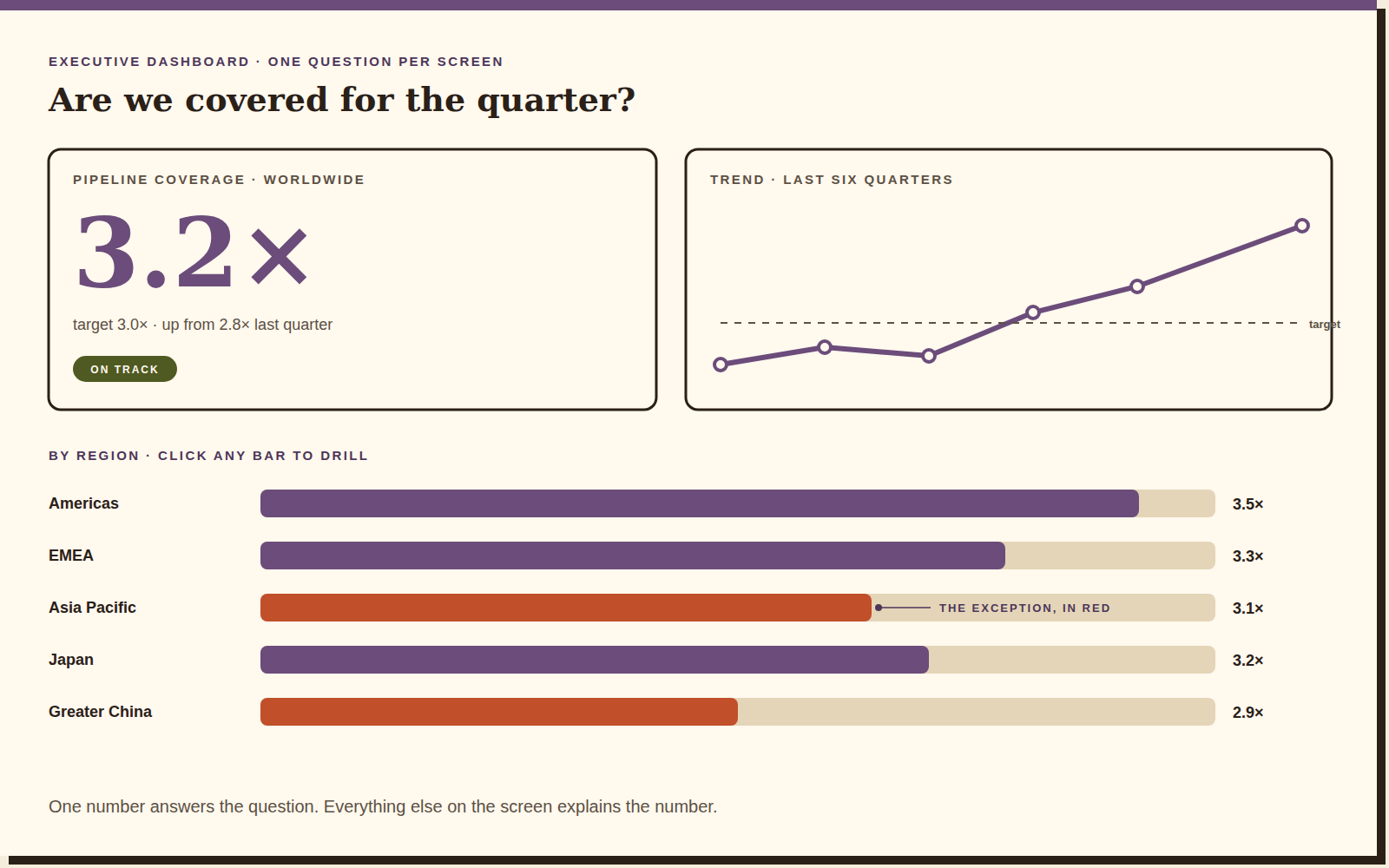
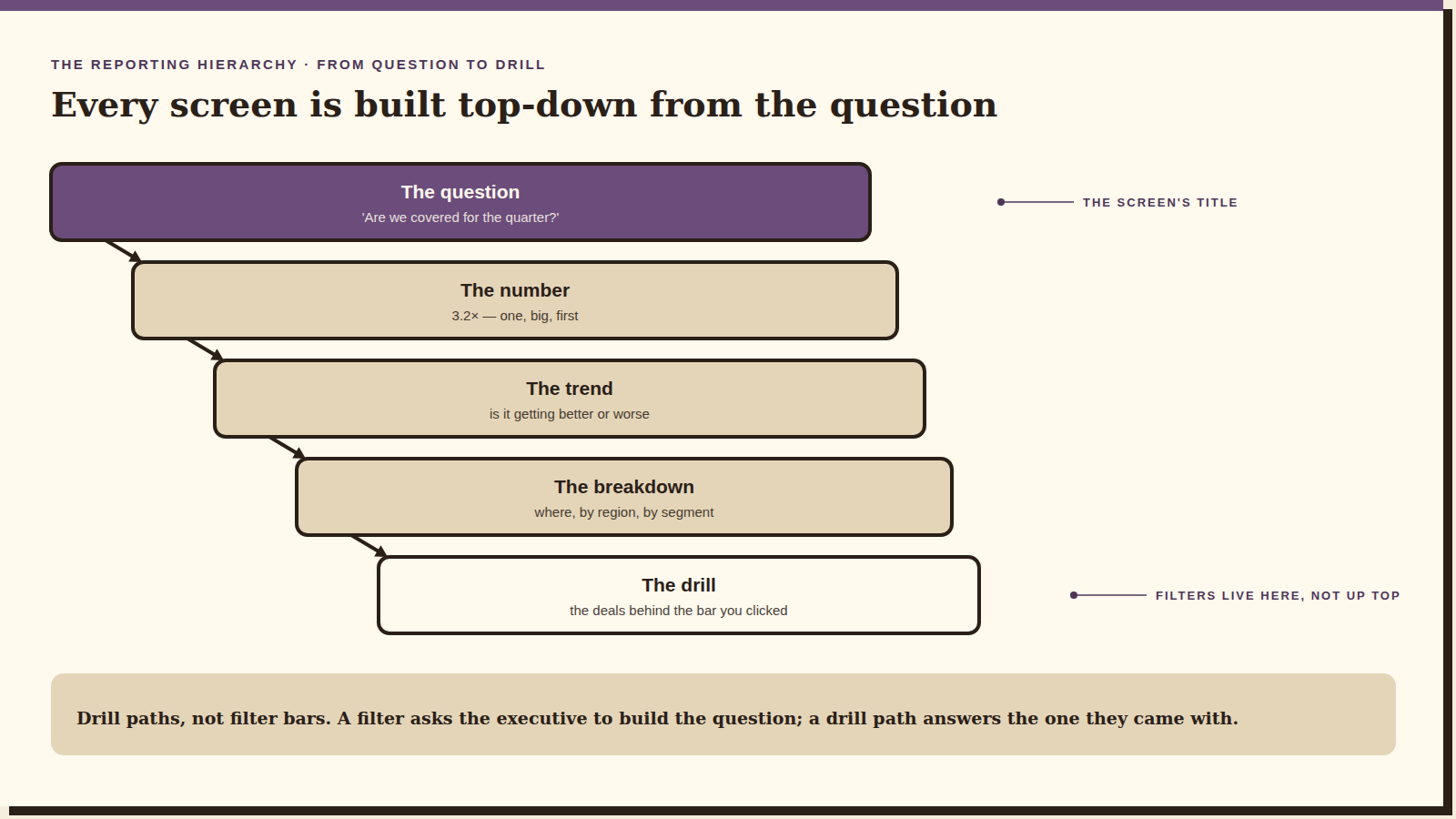
Every screen is titled with its question. The number that answers it comes first and biggest; the trend says whether it's getting better; the breakdown says where; and the exception is the only thing in red. Nothing on the screen exists that doesn't explain the number above it.
Beat three
Drill paths, not filter bars
A filter bar asks an executive to build the question. A drill path answers the one they came with: click the red bar and you get the deals behind it, ranked. Filters live inside the drill, not across the top. This was the argument I had most often and the one that mattered most.
Beat four
The same shape every Monday
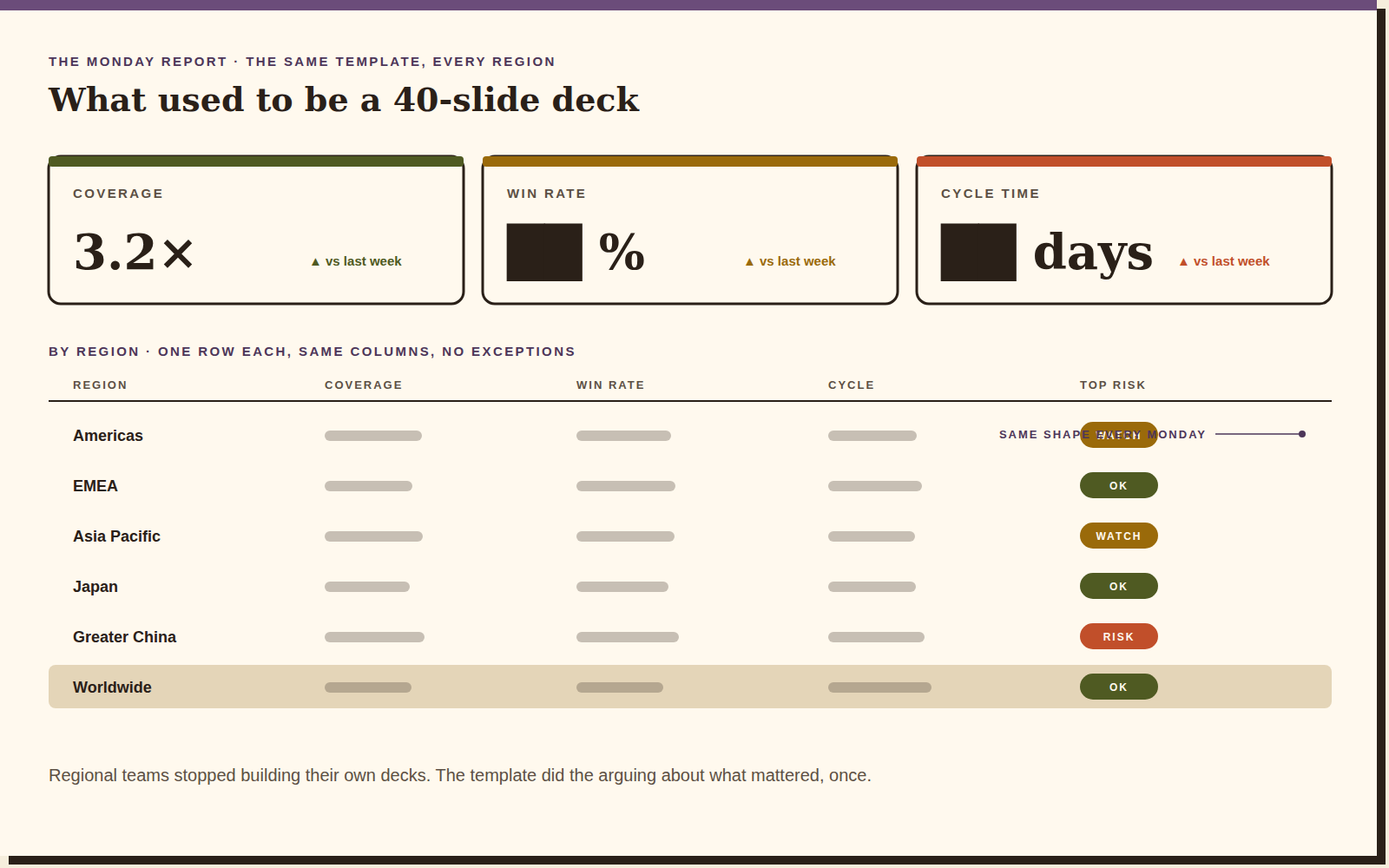
The Monday report became a template: three KPI tiles, one row per region, the same columns, no exceptions. Regional teams stopped building their own decks because the template had already done the arguing about what mattered. Consistency here isn't aesthetic. It's what makes a number in one region comparable to the same number in another.
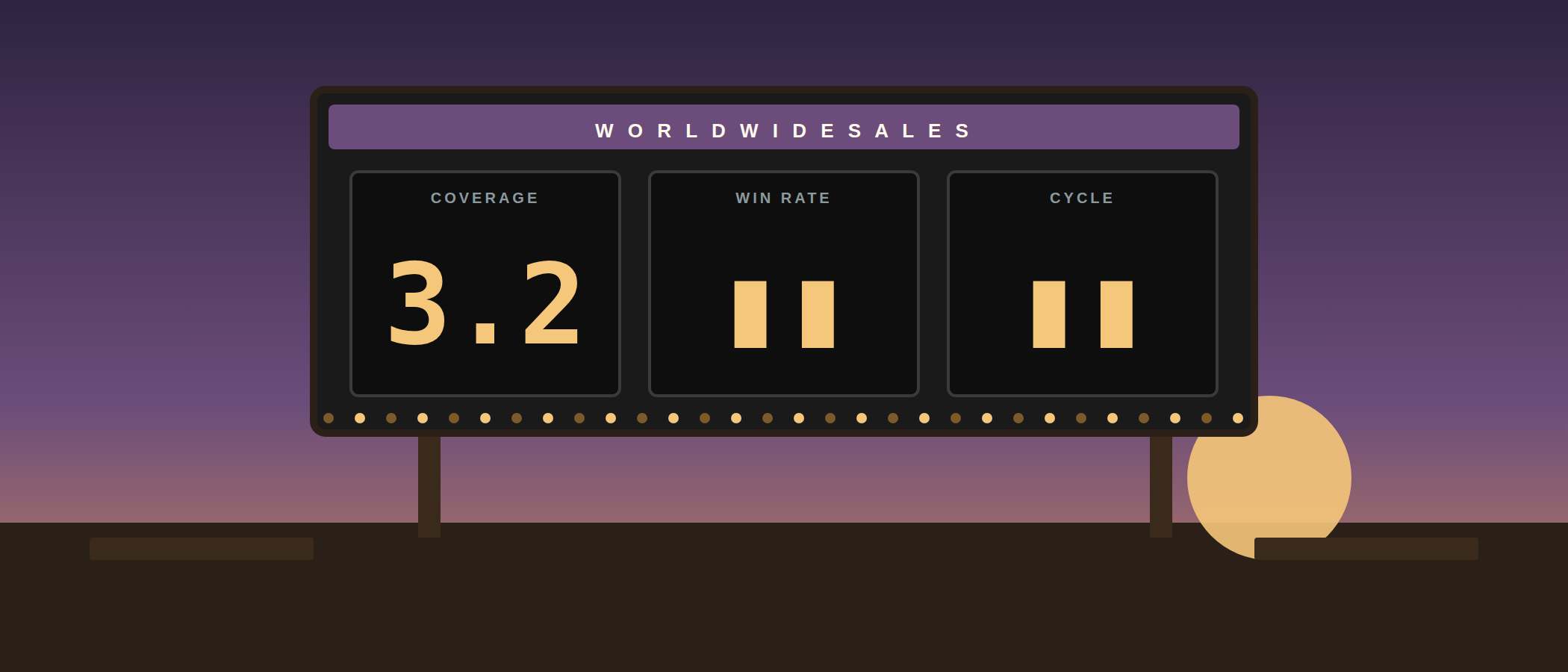
1 number*
The outcome
One number per question, one question per screen, one report shape for every region. The executive review moved from a hand-built deck to dashboards that were current on Monday morning without anyone assembling them — and the three questions finally got the same answer in every room.
Reflection
“Show the number. Then, and only then, explain it.”
Reporting projects fail by addition: every stakeholder gets their chart and the screen stops answering anything. The discipline is subtraction, and subtraction needs an argument you can win in a meeting — which is why the question-first hierarchy mattered more than any single dashboard. What I'd do differently: build the drill paths with the BI team from day one. I designed them first and negotiated them second, and the negotiation cost weeks.